Core financials
Manage general ledger, payables, receivables and bank transactions, with controls for batches, posting and reconciliation.


Finance & distribution ERP
Sage 300 is an ERP system for finance and distribution teams that need to connect multi-company accounting, purchasing, inventory and order processing. KDS provides implementation, upgrades, hosting and support in Malaysia.
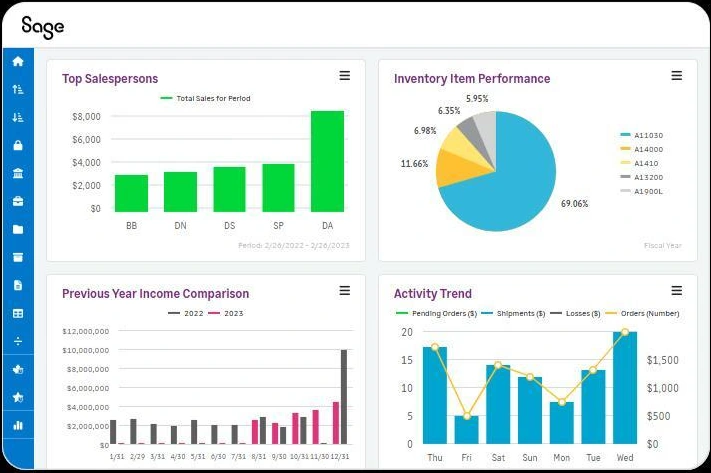
Manage general ledger, payables, receivables and bank transactions, with controls for batches, posting and reconciliation.
Maintain company-specific financial records and currency settings. Review the reporting approach needed across your companies.
Track receipts, transfers, shipments, returns and adjustments across stock locations.
Link purchase orders and receipts to stock movements, and manage customer orders, shipments and invoicing.
Evaluate which tasks your team can carry out in the desktop or browser interface based on your release, configuration and modules.
Review your version, custom reports and dependencies before upgrading or migrating hosting. Scope connections to e-Invoice, warehouses, banks or BI with KDS.
See how Norming’s invoice automation add-on for Sage 300 captures supplier invoice data and supports matching and approval before posting to Sage 300.
Open the video on NormingArchived guide for the 2021 release. Check current requirements before planning an upgrade or hosting change.
Example workflow
Yes. KDS helps Sage 300 customers review upgrades, support needs, integrations and hosting. Share your current version, modules and add-ons so the team can assess compatibility.
KDS can assess connections to warehouse systems, e-Invoice, banks and reporting tools. The integration scope depends on your Sage 300 version and the systems involved.
If you already run Sage 300, share your version, modules and key add-ons. KDS can review an upgrade or integration scenario against the workflows your team uses today.